
Free F5 Networks 301b Exam Practice Questions & Explanations
Prepared & Reviewed by the ValidExamDumps Editorial Team
At ValidExamDumps, we consistently monitor updates to the F5 Networks 301b exam questions by F5 Networks. Whenever our team identifies changes in the exam questions, objectives, focus areas or requirements, We immediately update our exam questions for both PDF and online practice exams. This commitment ensures our customers always have access to the most current and accurate questions. By preparing with these up to date and 100% exam domain coverage questions, our customers can successfully pass the F5 Networks BIG IP Local Traffic Manager LTM Specialist Maintain & Troubleshoot exam on their first attempt without needing additional materials or study guides.
Other certification materials providers often include outdated or removed questions by F5 Networks in their 301b exam. These outdated questions lead to customers failing their F5 Networks BIG IP Local Traffic Manager LTM Specialist Maintain & Troubleshoot exam. In contrast, we ensure our questions bank includes only precise and up-to-date questions. Our main priority is your success in the F5 Networks 301b exam, not profiting from selling obsolete exam questions in PDF or Online Practice Test.
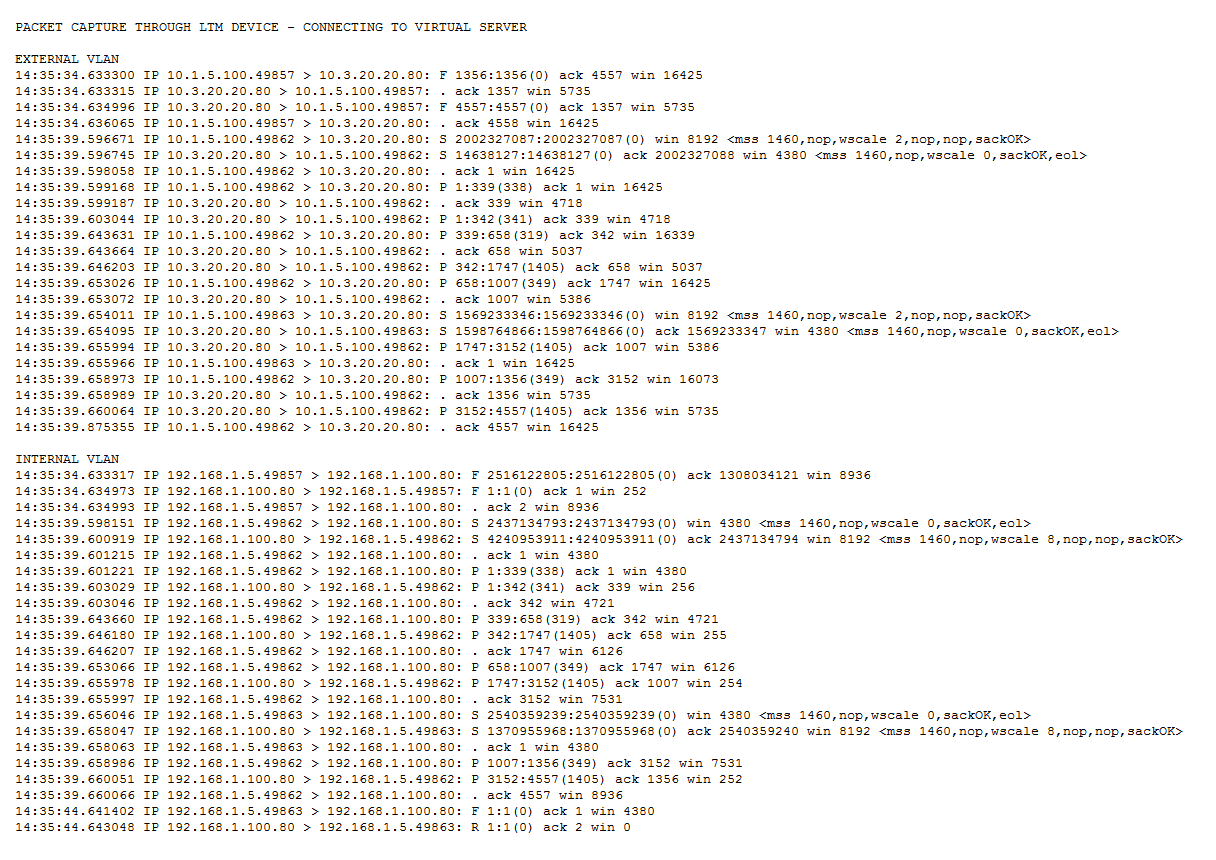
Given a tcpdump on an LTM device from both sides of a connection on the External and Internal VLANs, how should an LTM Specialist determine if SNAT is enabled for a particular pool?
-- Exhibit --
-- Exhibit --
Refer to the exhibits.
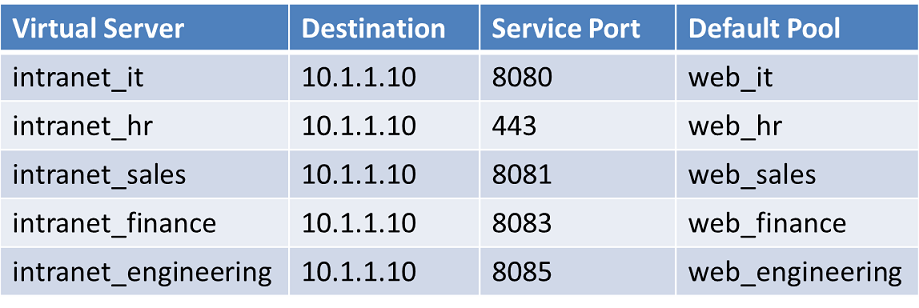
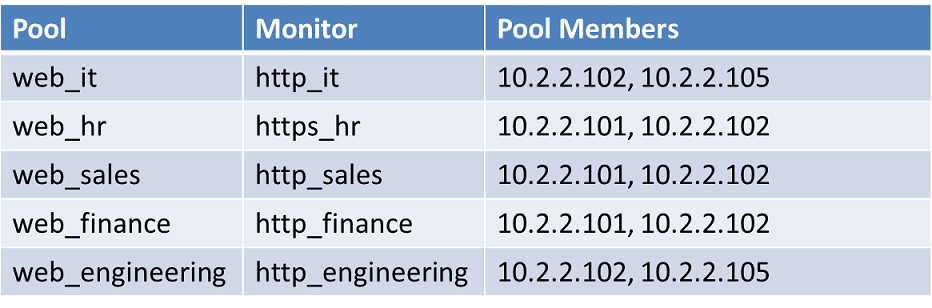
Every monitor has the same Send String, Recv String, and an Alias of *:*. The LTM Specialist simplifies the configuration to minimize the number of monitors.
How many unique monitors remain?
-- Exhibit --
-- Exhibit --
Refer to the exhibits.
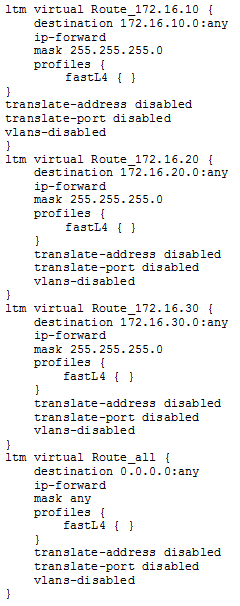
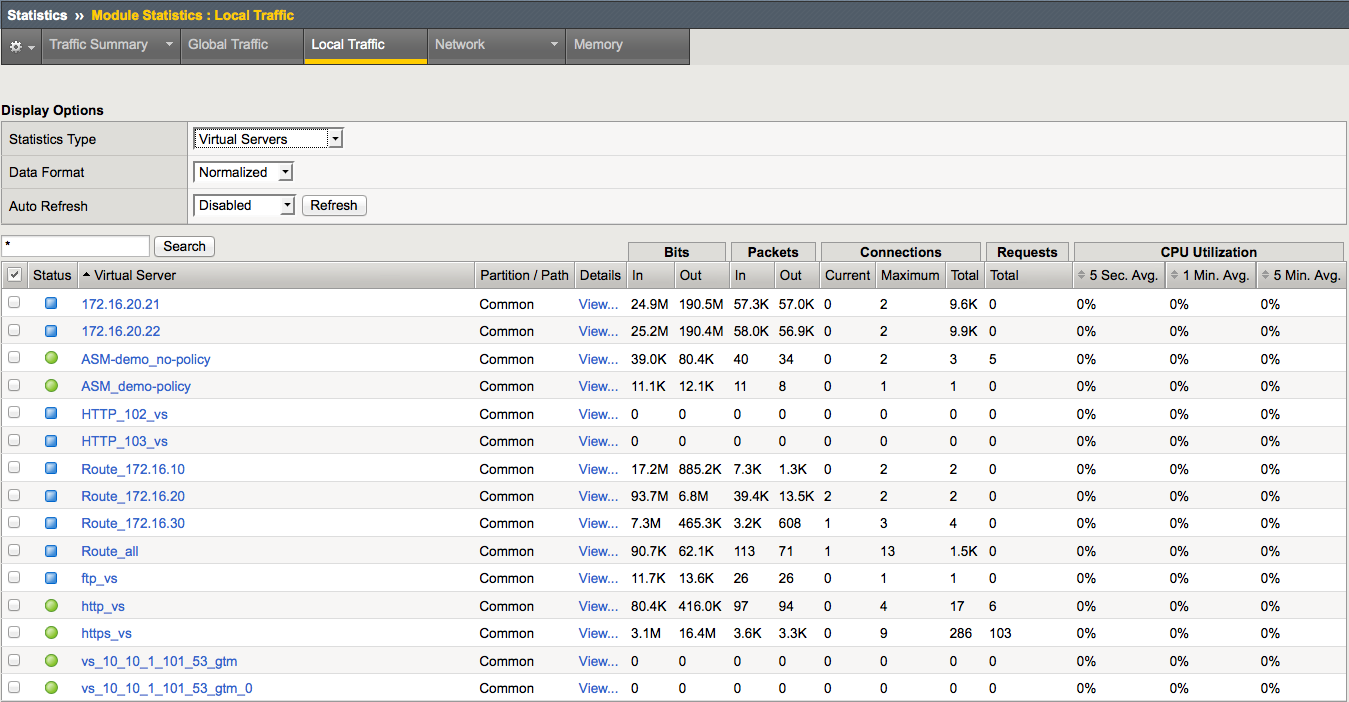
An LTM device has been configured for load balancing a number of different application servers. Configuration changes need to be made to the LTM device to allow administrative management of the servers in 172.16.10/24, 172.16.20/24, and 172.16.30/24 networks. The servers require outbound access to numerous destinations for operations.
Which solution has the simplest configuration changes while maintaining functionality and basic security?
-- Exhibit --
-- Exhibit --
Refer to the exhibits.
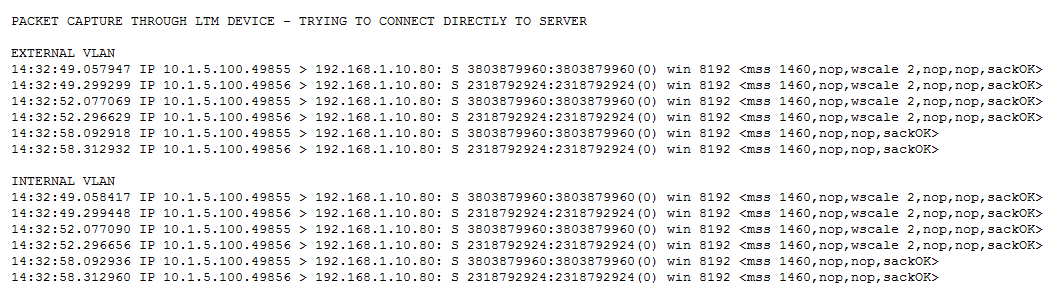
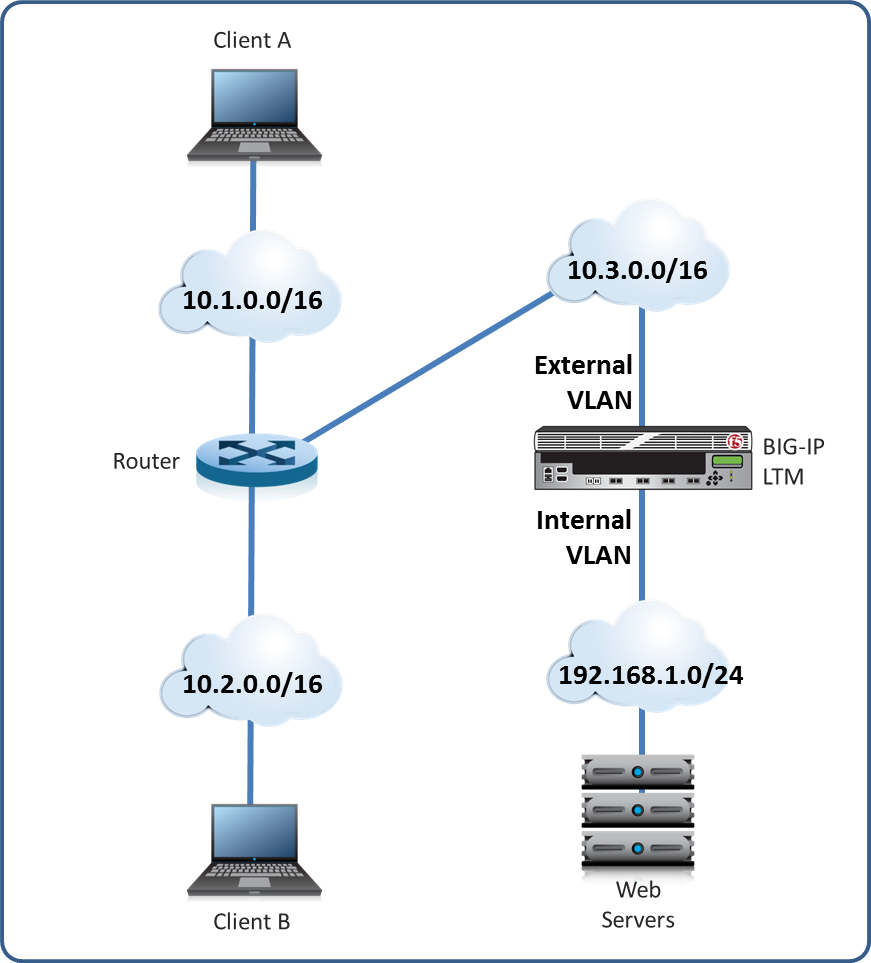
Users are able to access the application when connecting to the virtual server but are unsuccessful when connecting directly to the application servers. The LTM Specialist wants to allow direct access to the application servers.
Why are users unable to connect directly to the application servers?
There is a fault with an LTM device load balanced trading application that resides on directly connected VLAN vlan-301. The application virtual server is 10.0.0.1:80 with trading application backend servers on subnet 192.168.0.0/25. The LTM Specialist wants to save a packet capture with complete payload for external analysis.
Which command should the LTM Specialist execute on the LTM device command line interface?