Free Atlassian ACP-610 Exam Actual Questions

The questions for ACP-610 were last updated On Dec 16, 2025

At ValidExamDumps, we consistently monitor updates to the Atlassian ACP-610 exam questions by Atlassian. Whenever our team identifies changes in the exam questions,exam objectives, exam focus areas or in exam requirements, We immediately update our exam questions for both PDF and online practice exams. This commitment ensures our customers always have access to the most current and accurate questions. By preparing with these actual questions, our customers can successfully pass the Atlassian Managing Jira Projects for Data Center and Server Certification exam on their first attempt without needing additional materials or study guides.

Other certification materials providers often include outdated or removed questions by Atlassian in their Atlassian ACP-610 exam. These outdated questions lead to customers failing their Atlassian Managing Jira Projects for Data Center and Server Certification exam. In contrast, we ensure our questions bank includes only precise and up-to-date questions, guaranteeing their presence in your actual exam. Our main priority is your success in the Atlassian ACP-610 exam, not profiting from selling obsolete exam questions in PDF or Online Practice Test.


Question No. 1

Your company recently created an internal IT project to track hardware requests. View the project configuration below: Project: Hardware request Project lead: Allen Frank Default Assignee: Project lead

To test the triaging process you create the first issue in the project and select the Macbook 13" component. You don t update the assignee field and leave it to the default value of Automatic.

Based on the current configuration, which value will the assignee field show after creating the test issue?

Show Answer Hide Answer
Question No. 2

Your team uses Story Points for estimation and tracking.

You performed several actions in the active sprint.

Which two actions are reflected as scope change? (Choose two.)

Show Answer Hide Answer
Correct Answer: C, D

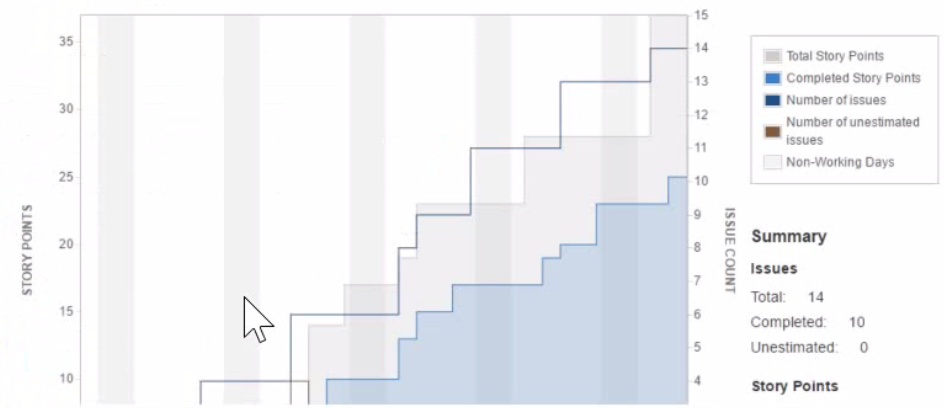
The two actions that are reflected as scope change are dragging an estimated story from the backlog to the sprint and modifying the estimate value on a committed story. Scope change is a measure of how much work was added or removed from a sprint after it started. It is calculated by comparing the total story points committed at the start of the sprint and the total story points completed at the end of the sprint. If you add or remove issues from a sprint, or change their estimates, you are changing the scope of the sprint. The other actions mentioned in the question do not affect the scope of the sprint, as they do not change the amount of work planned or done in the sprint.Reference: Viewing the Velocity Chart, Scope change


Question No. 3

An issue was created with the following attributes:

* Issue type: Story

* Priority: Blocker

* Labels: Tools, DevOps

* Reporter: A.Grant

An excerpt of the board's swimlane configuration is shown.

In which swimlane will the issue appear?

Show Answer Hide Answer
Correct Answer: B

The issue will appear in theExpediteswimlane, because it matches the querypriority = Blocker. Swimlanes are used to group issues on the board based on a common attribute, such as assignee, epic, or a custom query. The board's swimlane configuration shows that the first swimlane is Expedite, which has the querypriority = Blocker. This means that any issue with a blocker priority will be placed in this swimlane, regardless of its other attributes. The other swimlanes have different queries that do not match the issue's attributes, such as type, labels, or reporter. Therefore, the issue will not appear in those swimlanes. The last swimlane is Everything Else, which is the default swimlane for any issue that does not match any of the previous queries. However, since the issue matches the Expedite query, it will not fall into this swimlane either. Hence, the correct answer is B.Reference:[Configuring swimlanes], [Using swimlanes]


Question No. 4

You are reviewing the Velocity Chart for your team and notice that they completed more story points than they committed in their last sprint. You are definitely the only person who can add issues to sprints in your project. How did your learn complete more story points than they committed?

Show Answer Hide Answer
Correct Answer: C

The reason why your team completed more story points than they committed in their last sprint is that someone increased the story point value on an issue mid-sprint. This will increase the total story points completed at the end of the sprint, but not affect the total story points committed at the start of the sprint. Therefore, it will result in a positive scope change. The other reasons mentioned in the question do not explain why your team completed more story points than they committed, as they either do not affect story points at all, or affect both committed and completed story points equally.Reference: Viewing the Velocity Chart, Scope change


Question No. 5

Auditors group contains only two members; Adam and Eve.

You need to create a quick filter that shows overdue issues assigned to either of them

Which JQL query is always correct?

Show Answer Hide Answer
Correct Answer: C

This JQL query is always correct because it uses theduedatefield, which is a date picker that stores a date value without a time component, and thestartOfDay()function, which returns the start of the current day (i.e., midnight). This query will return all issues that have a due date before today and are assigned to either Adam or Eve. The other queries are either incorrect or unreliable because they use different fields or functions that may not work as expected. For example, theduefield is a date time picker that stores both a date and a time value, and thecurrentLogin()function returns the date and time of the current user's last login, which may vary depending on the user and their timezone.Reference:: https://support.atlassian.com/jira-software-cloud/docs/advanced-search-reference-jql-fields/#Advancedsearchingfieldsreference-DuedateDuedate https://support.atlassian.com/jira-software-cloud/docs/advanced-search-reference-jql-functions/#Advancedsearchingfunctionsreference-startOfDaystartOfDay